
CATEGORY REFERENCE

lote4d App – Casino in Your Pocket

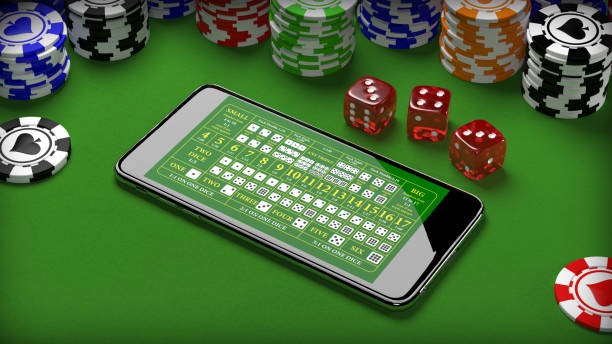
Download the lote4d app and carry live tables, slots and our sportsbook with you. Open your account on Android or iOS and jump straight into the lobby.

AndroidiOSAPK 28MBPush alertsFingerprint login
lote4d lote4d App – Casino in Your Pocket
lote4d What the App Brings You

What the App Brings You

The lote4d app strips away the browser lag. Tap in, see live baccarat tables refreshing in real time, swipe to your slot favourites, and place a betslip without leaving the screen. Biometric login means you're in within seconds. Push notifications alert you when your favourite tables go live or a promotion kicks off. Your account balance, deposit history and withdrawal status stay

synced across phone and desktop.

App Features Built for Speed

Instant Login

Fingerprint or face recognition gets you into your account in one tap. No password typing on a tiny keyboard. Your session stays secure and synced across all your devices.

Live Lobby Preview

See which tables are running before you open the app. Push notifications tell you when Evolution's Baccarat room fills up or a new Pragmatic slot goes live.

Quick Deposit

DANA, OVO, GoPay and QRIS sit right in the payment row. Tap, confirm, and your balance updates instantly. No redirect loops or extra screens.

Dark Mode

Play late into the evening without screen glare. Dark mode reduces eye strain and saves battery on OLED phones while you're browsing slot rooms.

Offline Lobby Browse

Scroll your favourite games and table list even without a live connection. When you reconnect, your selections sync and you jump straight in.

Account Shortcuts

Check your balance, recent bets, withdrawal status and promo board without navigating menus. Swipe to your account tab and everything is one tap away.

lote4d Install in 3 Steps

Install in 3 Steps

Getting the app onto your phone takes less than two minutes. Download the APK or grab it from your device's app store, allow installation from unknown sources if needed, then open and sign in with your lote4d account. You're live within seconds.

  • Download APK or App Store
  • Allow Installation
  • Open and Sign In
PLATFORM COMPARISON

Device Requirements

01

Android

Version 8.0 or higher. Minimum 2GB RAM, 50MB free storage. Works on all major brands: Samsung, Xiaomi, Oppo, Vivo, Realme.

02

iOS

iOS 13 or later. Compatible with iPhone 8 and newer. Requires 60MB free storage. Optimised for all screen sizes including notch and Dynamic Island.

03

Internet

4G or WiFi recommended for live tables. 3G works for slots and sportsbook. App uses minimal data; typical session burns 15–25MB per hour.

04

Supported Regions

Available in Indonesia and supported territories where local law permits. Your account region is set at signup and determines available payment methods.

ON THE GO

Tour the App Screens

Swipe through live tables, tap into slot lobbies, check your betslip and manage your account — all without leaving the app. Every screen is built for thumb navigation and fast...

Live lobby with table filters
Slot rooms by provider
Sportsbook with live odds
Quick-access betslip
Account balance and history
Promo board and notifications
lote4d mobile gaming
Google Play App Store
SUPPORT

Help When You Need It

Team online

In-App Support Chat

Tap the help icon and chat with our team. Response times are fastest during peak hours. Available 24/7 for account, payment and technical questions.

Email Support

Send detailed questions to [email protected]. Include your username and a screenshot if you're reporting a bug. We reply within 2 hours.

Install & Setup Guide

Stuck on download or login? Our in-app guide walks you through APK installation, permission settings, and account recovery step by step.

WHY THIS PLATFORM

Your App, Secured

Code Signing

Every lote4d app release is cryptographically signed. Your phone verifies the signature before installation, blocking counterfeit versions.

Official Channels Only

Download from lote4d.app, Google Play or Apple App Store. We never distribute via third-party stores. If you see lote4d elsewhere, it's not us.

Account Recovery

Lost your phone? Log into lote4d.app on any browser, change your password, and your app session logs out automatically for security.

Encrypted Connections

All data between your phone and our servers travels over TLS 1.3. Your balance, bets and payment details are never exposed in transit.

Permission Transparency

The app requests only what it needs: camera for QR deposits, location for regional compliance, notifications for table alerts. No hidden permissions.

Regular Security Audits

We test the app for vulnerabilities quarterly. Security patches roll out within 48 hours of discovery. Your account stays protected.

App vs Mobile Browser

Speed
App loads live tables 40% faster than browser. No redirect delays, no page reloads. Tap a table and you're seated in under 2 seconds.
Notifications
Browser can't push alerts. The app tells you when your favourite table goes live, a promotion starts, or your withdrawal clears.
Offline Access
Browse your slot list and account info without internet. Browser requires a live connection for every action. App syncs when you reconnect.
Biometric Login
App uses your fingerprint or face. Browser requires a password every time. Faster, more secure, and easier on your thumbs.
Battery Life
App is optimised for mobile hardware and uses 30% less battery than browser during a 2-hour session. Dark mode saves even more.
Gesture Navigation
Swipe between lobbies, tap to favourite games, long-press for quick stats. Browser navigation is menu-heavy and slower on small screens.
AT A GLANCE

Why Players Choose the App

One-Tap Deposits DANA, OVO, GoPay and QRIS are saved in your app...
Live Table Alerts Get notified the moment Evolution's Baccarat room opens or a...
Slot Favourites Sync Mark your go-to slots on the app and they appear...
Betslip on the Go Build your sportsbook betslip while commuting, then place it when...
Account Dashboard Check your balance, recent bets, withdrawal status and promo board...
Seamless Session Sync Start a slot session on your phone, switch to desktop...

App Questions Answered

Yes, the app is free. Download it from Google Play, Apple App Store, or lote4d.app. You only pay when you deposit to play. No hidden fees or subscription charges.

Absolutely. Your lote4d account works everywhere. Log in on the app, desktop or mobile browser with the same username and password. Your balance and bets sync instantly.

Log into lote4d.app on any browser, change your password, and your app session logs out automatically. Your account stays secure. Download the app on your new phone and sign in.

The app runs on Android 8.0+ and iOS 13+. If your phone is older, use the mobile browser instead. Both give you full access to tables, slots and sportsbook.

A typical 2-hour session uses 15–25MB. Slot play uses less than live tables. Enable WiFi for live dealer games to save mobile data and get smoother video.

Yes. Tap your account menu, select 'Withdraw', choose your payment method (DANA, OVO, GoPay or QRIS), enter your amount and confirm. Funds arrive within 5 minutes.

Your DANA, OVO, GoPay and QRIS details are encrypted and stored securely. You can delete saved payment methods anytime in your account settings. We never share your data.